Your air conditioning system relies heavily on the proper function of the thermostat. When something goes wrong with your AC—such as inconsistent cooling, unresponsiveness, or incorrect readings—the issue might not lie in the compressor or wiring, but in the thermostat itself. Fortunately, many of these issues can be resolved by performing a simple reset. Understanding how to reset your AC thermostat like a technician empowers you to restore comfort in your home without immediately relying on professional support.
The Importance of Your Thermostat in AC Functionality
The thermostat serves as the command center of your HVAC system. It continuously monitors the temperature in your space and sends signals to the air conditioner to either turn on or off, depending on the set preference. A minor disruption—such as a software bug, power surge, or drained battery—can affect its ability to send accurate commands. Resetting it can often correct miscommunication between the thermostat and the AC unit, which helps the entire system run smoothly again.
Typical Signs That Indicate a Need for a Reset
Several indicators can signal that your thermostat requires a reset. These may include the thermostat not responding to temperature changes, a blank screen, flashing error codes, or the air conditioning unit not powering on despite being properly connected. In some cases, you may notice that the AC runs inconsistently, shuts off prematurely, or fails to maintain the desired temperature. Such symptoms suggest the thermostat might have lost its internal programming or become temporarily confused due to electrical disturbances or user errors.
Taking Initial Safety Precautions
Before beginning the reset process, it is essential to take safety precautions. Start by turning off the entire HVAC system from the circuit breaker to prevent any electrical shock or internal short circuit. This step not only ensures safety but also allows the internal system to fully power down, making the reset more effective. Make a note of your preferred settings such as scheduled timers, fan speeds, and temperature levels if you’re using a programmable or smart thermostat. These settings may be erased during the reset.
Resetting a Manual Thermostat
Manual thermostats, which are more commonly found in older systems, have a simpler reset procedure. These devices often do not have digital displays or programmable options. To reset a manual thermostat, begin by removing the cover to expose the internal components. In many cases, simply removing the batteries and reinserting them after 30 seconds will complete the reset. If the device is hardwired and does not use batteries, turning off the power from the breaker for a few minutes and then turning it back on will achieve the same result. After the reset, you can re-set the desired temperature manually and monitor whether the AC responds accordingly.
Resetting a Digital or Programmable Thermostat
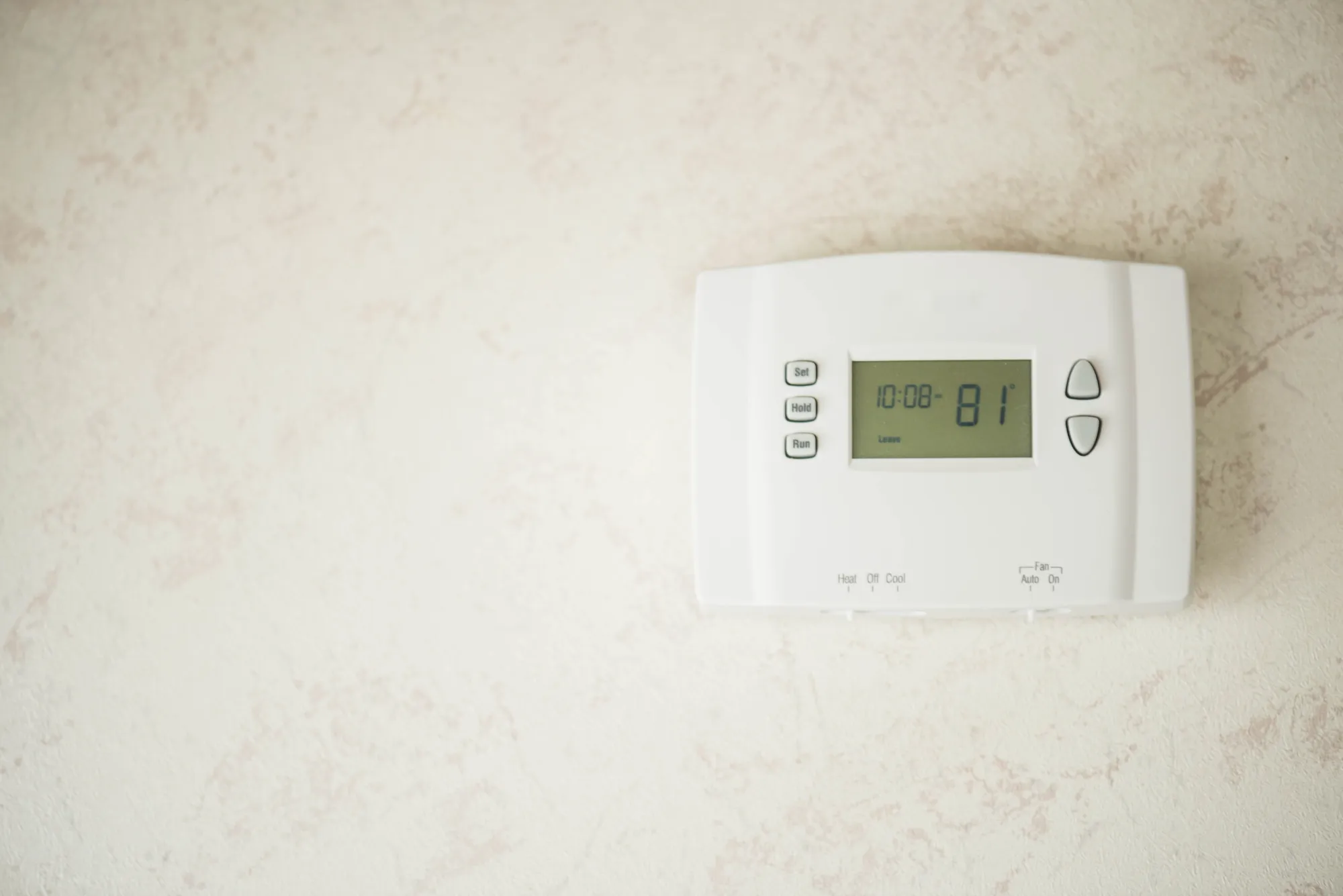
Digital thermostats are more advanced and usually come with a reset button either on the front or under the cover panel. To initiate the reset, press and hold the reset button for around 5 to 10 seconds. Some models may require holding down two buttons simultaneously. If no physical reset button exists, consult the user manual for the specific combination required. Once reset, the display will usually flash or turn off briefly and then restart. Upon restarting, the device returns to its factory settings, and you will need to reprogram your schedule, Post Category , preferences, and modes.

Resetting a Smart Thermostat
Smart thermostats provide more control and connectivity features, including integration with home automation systems. These thermostats often include a touchscreen interface and menu options to perform various resets. Navigate to the device settings and locate the reset or system restart option. Some models allow you to choose between partial resets (such as resetting only the Wi-Fi settings) or a full factory reset. It is recommended to select a full reset only if the issue persists after minor troubleshooting steps. Once reset, the device may require reconnection to your home network and reconfiguration of all preferences, schedules, and smart integrations.
Impact of a Reset on Energy Efficiency
A properly functioning thermostat plays a key role in maintaining energy efficiency. When your thermostat malfunctions, it may cause the system to overwork, cycle unnecessarily, or fail to maintain stable temperatures. These issues not only increase your energy bills but also place excessive stress on HVAC components. Resetting the thermostat ensures that the device is communicating with the system as designed, triggering cooling cycles at optimal intervals and allowing your AC to operate within expected parameters. This simple procedure can contribute to lower monthly energy costs and reduce wear and tear on your cooling equipment.
How Often Should You Reset Your Thermostat?
While resetting is not something you should do regularly, there are certain situations where a periodic reset can be helpful. For example, after a power outage, firmware update, or a major setting change, it’s a good idea to reset the thermostat to allow the system to stabilize. Likewise, if you’ve moved into a new property and want to clear all existing user configurations from a smart thermostat, a factory reset is the best approach. It’s important, however, not to rely on resetting as a long-term fix if technical issues persist. Repeated resets could be a sign of deeper issues that need technical evaluation.
What Happens After the Reset is Complete
After completing the reset, turn the power back on and give the thermostat a few minutes to recalibrate. Most thermostats will take a short time to re-establish internal settings and resume communication with your HVAC system. Test the system by lowering the temperature by a few degrees and observing whether the AC kicks in. If the system does not respond, double-check the circuit breaker and confirm that all wiring connections are secure. Sometimes the delay in restarting is due to safety lockouts in the HVAC system that protect components from frequent cycling.
Troubleshooting After a Reset
If your system does not respond even after performing a reset, further investigation may be necessary. Check for loose wires, dead batteries, or tripped circuit breakers. Also ensure that the thermostat is compatible with your AC unit, especially if you’ve recently installed a new device. Persistent issues may point toward sensor failures, capacitor problems, or internal AC malfunctions rather than thermostat errors. In such cases, professional diagnosis is required to avoid further damage.
Best Practices to Prevent Future Thermostat Problems
To reduce the frequency of thermostat malfunctions, routine care is essential. Replace the batteries at least once a year if your thermostat runs on battery power. Keep the thermostat clean and free of dust, as dirt buildup can interfere with sensors and internal circuits. Avoid placing lamps, TVs, or heating appliances close to the thermostat, as these can affect its readings. For smart thermostats, check for firmware updates regularly. These updates often contain fixes for bugs and improve device performance.
How Technicians Approach Thermostat Resets
HVAC professionals follow a systematic approach when dealing with thermostat issues. They start by checking voltage levels, wiring integrity, and system compatibility. They also verify whether the problem lies with the thermostat or other HVAC components. In many cases, the first step a technician takes is to perform a reset, just as a precautionary measure. This approach helps in quickly eliminating user settings or minor programming issues as the root cause, allowing them to focus on more complex areas if the problem continues.
Why Knowing This Skill Is Beneficial
Learning to reset your AC thermostat like a technician gives you greater control over your home’s comfort and saves you both time and money. Many minor issues can be resolved at home without waiting for professional service. This knowledge also helps you communicate more clearly with HVAC professionals should you need to escalate the issue. Instead of describing vague symptoms, you can provide specific details about what you’ve tried, which can speed up the repair process.
Simple Reset, Significant Impact
Resetting your thermostat is a practical and effective first step in troubleshooting AC problems. Whether you have a manual, digital, or smart thermostat, the procedure is relatively straightforward and can restore proper function within minutes. By following technician-grade steps, you can bring your HVAC system back online and restore cooling comfort without unnecessary delays. While this solution works for many issues, remember that persistent problems or hardware faults still require professional inspection. Keeping your thermostat in optimal condition ensures efficient climate control and long-term reliability.